Skip to content
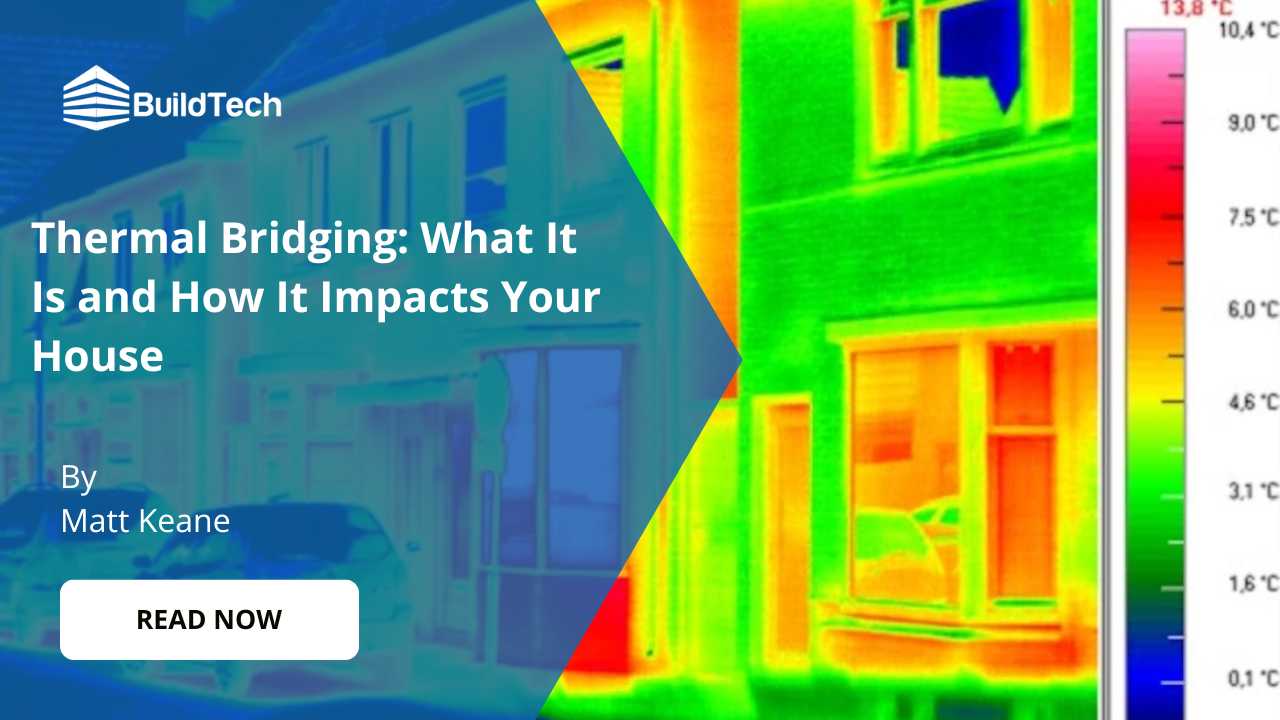
Thermal bridging is one of those hidden building issues that can undo good insulation and make a home feel colder than it should. It happens when heat finds an easy route out through gaps, junctions, or materials that conduct heat faster than the rest of the structure.
The result is often higher heating use, uncomfortable cold spots, and surfaces that attract condensation. Over time, that moisture can contribute to damp patches and mould in the same repeat areas.
This blog explains what thermal bridging is, where it commonly occurs, and how it impacts comfort and energy costs. It also covers practical ways to reduce it through better detailing and insulation continuity.
Let’s start!
What Are Thermal Bridges?
Thermal bridges, sometimes called cold bridges, are spots in a building where heat escapes more easily. They usually happen where insulation is missing, poorly fitted, or interrupted by another material. Common examples include gaps around joints, edges, and openings, or places where a timber joist or metal element runs through the insulated layer.
Because these areas transfer heat faster than the surrounding structure, they can make rooms harder to keep warm and can contribute to cold patches indoors.
How Thermal Bridging Impacts Your House?
Thermal bridging can quietly increase heat loss, reduce comfort, and create cold areas that are hard to fix without the right insulation detail.
Higher heating costs
When heat escapes through weak points, your heating has to work harder to keep rooms warm.
Over time, that extra demand can push energy bills up, especially in colder months. Even small gaps can make a noticeable difference across the whole home.
Cold spots and draughty feel
Thermal bridges often show up as chilly patches on walls, ceilings, or around corners. These areas can make rooms feel uneven in temperature, even when the heating is on.
The result is a home that never quite feels consistently warm.
Condensation and damp risk
Cold surfaces caused by thermal bridging can attract moisture from the air, leading to condensation.
If it happens regularly, it may contribute to damp patches and, in some cases, mould growth. This is most common in corners, around windows, and at wall-to-roof junctions.
Reduced insulation performance
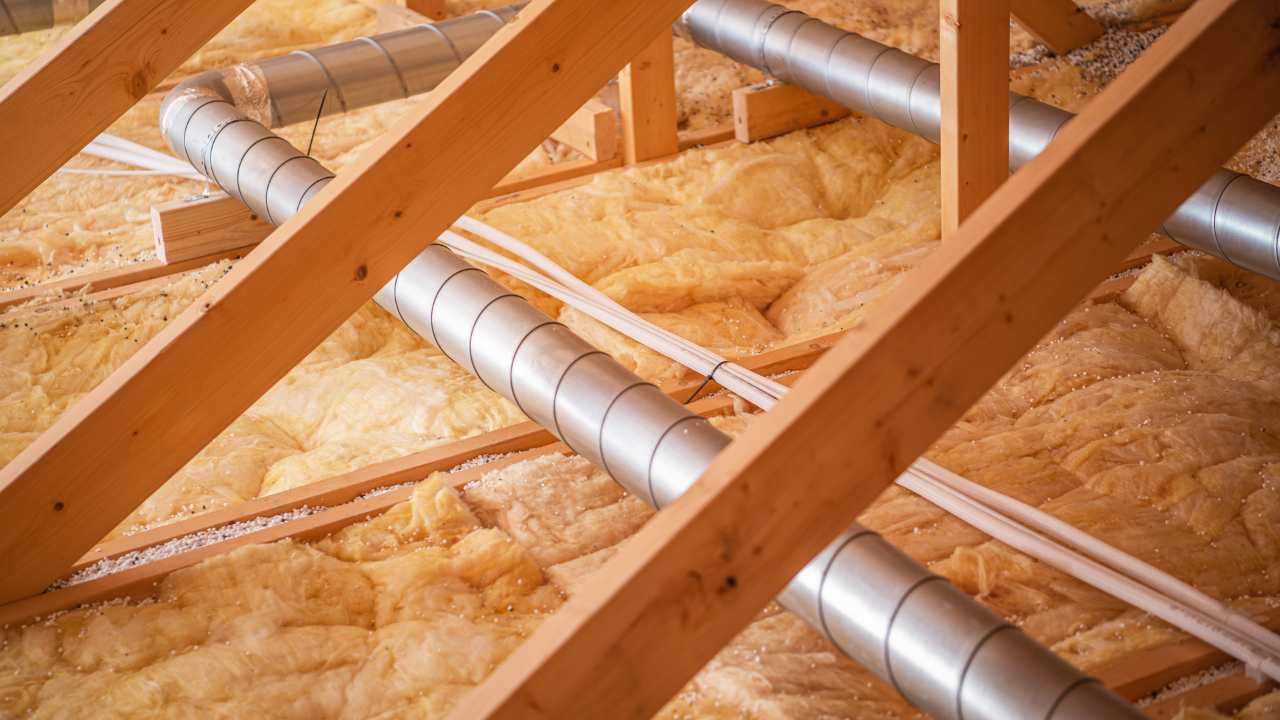
Even good insulation can underperform if it is interrupted by structural elements or poorly installed sections.
Thermal bridges create a “shortcut” for heat to travel through the building fabric. That means you may not get the comfort you expect from the insulation you have paid for.
Long-term wear on building materials
Repeated condensation and temperature changes around thermal bridges can affect finishes over time.
Paint may peel, plaster can stain, and timber areas may be more likely to hold moisture. Sorting the bridging early helps protect both comfort and the condition of your home.
How Can You Prevent Thermal Bridges?
Thermal bridges are easier to avoid when they are considered at the design and planning stage, rather than fixed later. One approach is to remove or reposition elements that create a direct path for heat to escape through the structure.
Another option is to use materials that conduct less heat, so the “bridge” effect is reduced. It also helps to adjust insulation thickness and how it is fitted, so the insulated layer stays continuous with no gaps. In simple terms, the goal is to keep heat from finding an easy route out of your home.
Where Does Thermal Bridging Occur?
Thermal bridging usually shows up wherever the insulation layer is broken, thinned, or crossed by materials that move heat quickly.
Repeated building elements
Items like wall ties, rafters, joists, and studs can create regular “paths” for heat to travel through the structure.
Because they repeat across a wall or roof, the heat loss can add up over a large area.
Wall junctions
These are the meeting points where walls connect to floors, roofs, or other walls, and they are often harder to insulate fully.
If insulation is not continuous at these joins, cold spots can appear.
Insulation gaps
Small gaps or thinner insulation around windows, doors, and edges can let heat escape much faster than expected.
Even a few poorly fitted sections can reduce overall performance.
Building penetrations
Services like pipes, wiring, vents, and flues can break through the building envelope and create weak points.
If these areas are not sealed and insulated properly, they can become common heat-loss zones.
Conclusion
Thermal bridging can have a bigger impact than many homeowners realise, causing heat loss, cold spots, higher heating bills, and increasing the risk of condensation and damp. As outlined in this guide, it often occurs where insulation is interrupted by gaps, junctions, or heat-conducting materials, especially around walls, floors, roofs, windows, and structural connections. With the right design approach, correct material choices, and continuous insulation detailing, these weak points can be reduced and overall comfort and efficiency improved.
If you want to improve your home’s insulation performance or resolve thermal bridging issues properly, contact BuildTech today for clear advice and professional support customised to your property.