Skip to content

Building your own home in Ireland is one of the biggest financial decisions you’ll ever make, and the numbers have shifted a fair bit over the past few years. For a standard three or four bedroom family home, most self-builders are now looking at a build cost of between €2,500 and €3,500 per square metre, excluding the site, engineer’s fees, and connections.
That means a modest 150 square metre home works out at roughly €375,000 to €525,000 just for the build itself. Add in the site, professional fees, connections, and finishes and the total budget can easily push past €600,000. The final figure depends heavily on location, specification, and how much of the work you project manage yourself.
In this guide, we’ll walk you through every cost line you need to plan for, from the site purchase right through to turning the key. No fluff, just the real numbers we see on Irish jobs every week.
What Drives the Cost per Square Metre?
The per square metre figure is the most useful starting point, but it hides a lot of variation. Two homes of the same size can differ by €100,000 or more depending on the choices made at design stage.
Here are the biggest factors pushing costs up or down.
- Specification level. A basic finish sits closer to €2,500 per square metre. A high-end finish with premium kitchens, hardwood floors, and bespoke joinery pushes past €3,500.
- Design complexity. Simple rectangular shapes are cheaper to build than L-shaped, split-level, or heavily glazed designs.
- Building regulations compliance. All new homes must meet NZEB standards (Nearly Zero Energy Building), which adds cost but slashes running bills.
- Location. Dublin and the commuter belt attract higher labour rates than rural counties.
- Groundworks. A sloped or wet site can add €20,000 or more before the foundations are poured.
Get the design tight and the specification realistic before you sign anything. Changes during construction are where budgets tend to unravel.
Site Costs and Getting Started
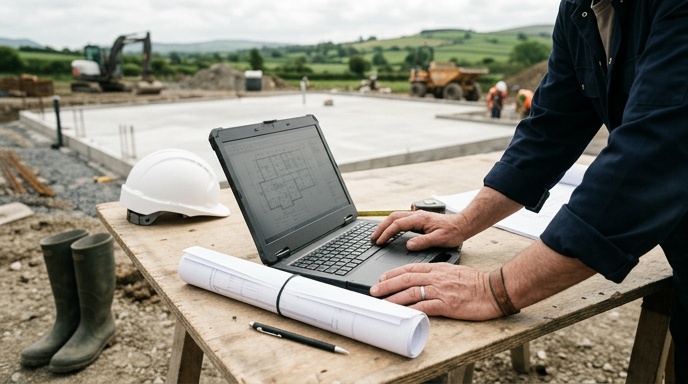
Before a single block goes down, there’s a stack of costs to cover. These often catch first-time self-builders off guard because they don’t show up in the headline per square metre figure.
Buying the Site
Site prices vary wildly. A serviced site in a rural county might go for €50,000 to €90,000, while a good site in South Dublin can hit €300,000 or more. Always check for planning history and services availability before you buy.
Site Investigation and Preparation
A percolation test, soil survey, and site clearance are non-negotiable. Budget around €2,000 to €5,000 for testing, and anywhere from €10,000 to €40,000 for clearance and levelling depending on the site condition.
Utility Connections
Connecting to electricity, water, and wastewater is not cheap. Expect the following ballpark figures.
- ESB Networks connection: €1,800 to €4,000
- Uisce Éireann water and wastewater connection: €2,300 upwards
- Private well and treatment system (if off-mains): €10,000 to €18,000
House Building Cost: Planning, Design and Professional Fees
You cannot build a house in Ireland without a full planning permission grant (with rare exceptions for exempted works on existing dwellings). Full details on the process are available from Citizens Information, but the costs below are what most self-builders end up paying.
Professional and statutory fees typically add up to around 10% to 15% of the total build cost. Here’s how that breaks down.
- Architect or designer. Fees usually sit between 6% and 10% of the build cost for a full service including drawings, planning, and site inspections.
- Structural engineer. Expect €2,500 to €6,000 for structural design, calculations, and site visits.
- Planning application fee. The council fee for a single dwelling is €65, plus site notice and newspaper ad costs of around €300.
- BER assessor. Around €300 to €500 for the provisional and final BER certificates.
- Assigned Certifier and Cert of Compliance. Required under Building Control Amendment Regulations. Budget €2,500 to €5,000.
Skimping on the design stage is a false economy. A good design and build team will save you multiples of their fee by avoiding on-site changes and specification mistakes.
The Build Itself: Where the Money Goes
Once you have planning and the site is ready, the main construction spend kicks in. Using a 180 square metre four-bedroom home at €3,000 per square metre as an example, that’s a build cost of €540,000. Here’s roughly how that splits across the trades.
- Groundworks and foundations: 8% to 10%
- Blockwork, timber frame, or ICF walls: 12% to 15%
- Roof structure and tiling: 8% to 10%
- Windows and external doors: 6% to 8%
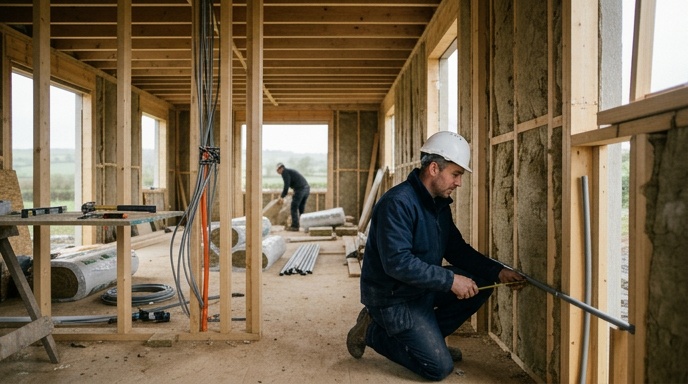
- First fix plumbing, electrical, and heating: 12% to 15%
- Insulation and airtightness: 6% to 8%
- Plastering and internal walls: 6% to 8%
- Kitchen, bathrooms, and second fix: 15% to 20%
- Flooring, painting, and finishes: 8% to 10%
Heating and Renewables
Under NZEB, every new home needs a renewable heat source. Most self-builders go with an air-to-water heat pump paired with underfloor heating, which costs around €12,000 to €18,000 installed. Solar PV is now effectively mandatory too, adding another €6,000 to €10,000.
Windows and Airtightness
Triple-glazed windows for a mid-sized home run €18,000 to €35,000. Airtightness membranes, tapes, and testing add another €3,000 or so, but they’re what makes the heat pump work efficiently.
Hidden House Building Costs Most People Forget
Even a well-planned budget usually has gaps. These are the costs we see people miss most often.
- VAT at 13.5% on construction services. Make sure quotes are clear on whether VAT is included.
- Development contribution to the local council, often €5,000 to €15,000 depending on the area.
- Bonds and levies for road openings and services.
- Landscaping, driveways, boundary walls, and fencing. Easily €15,000 to €40,000.
- Curtains, blinds, appliances, and furnishings. Not part of the build but you’ll need them.
- A 10% contingency on the build cost. Not optional. Something always comes up.
Adding these together, a €540,000 build can quickly become a €650,000 or €700,000 all-in project by the time you move in.
Can Grants and Tax Reliefs Help in House Building?
New builds don’t qualify for the same SEAI grants as retrofits, because your home already has to be built to NZEB standard. However, there are a couple of supports worth knowing about.
The Help to Buy scheme refunds up to €30,000 in income tax and DIRT to first-time buyers building or buying a new home, subject to conditions. The First Home Scheme can also cover up to 30% of the purchase price through a shared equity arrangement. Both are worth exploring early in the process with your mortgage advisor.
For existing homeowners doing a deep retrofit rather than a new build, SEAI grants can cover a substantial chunk of the works, but that’s a different route from a full new build.
How to Keep Your Build on Budget
The single biggest reason new builds go over budget is decisions made too late. Every change after the foundations are down costs three or four times what it would have cost on paper.
- Finalise your specification before you go to tender. Kitchens, tiles, floors, sanitary ware, the lot.
- Get a fixed-price contract rather than a cost-plus arrangement.
- Use a design and build contractor if you want a single point of accountability.
- Hold back roughly 10% of the build cost as a genuine contingency, not spending money.
- Don’t chase the cheapest quote. It usually catches up with you.
Ready to Cost Your Own Build?
Every self-build is different, and the only way to get a real number is to sit down with someone who knows Irish construction inside out. A proper feasibility session at the start will tell you whether your budget matches your ambitions, or whether the design needs to be reined in.
If you’re thinking about building in Dublin, Kildare, Meath, or Wicklow and want an honest steer on costs, timelines, and what your budget will actually deliver, get in touch with the team for a no-nonsense feasibility consultation.